Photo sharing by QR code
A QR code for wedding photos that guests actually use
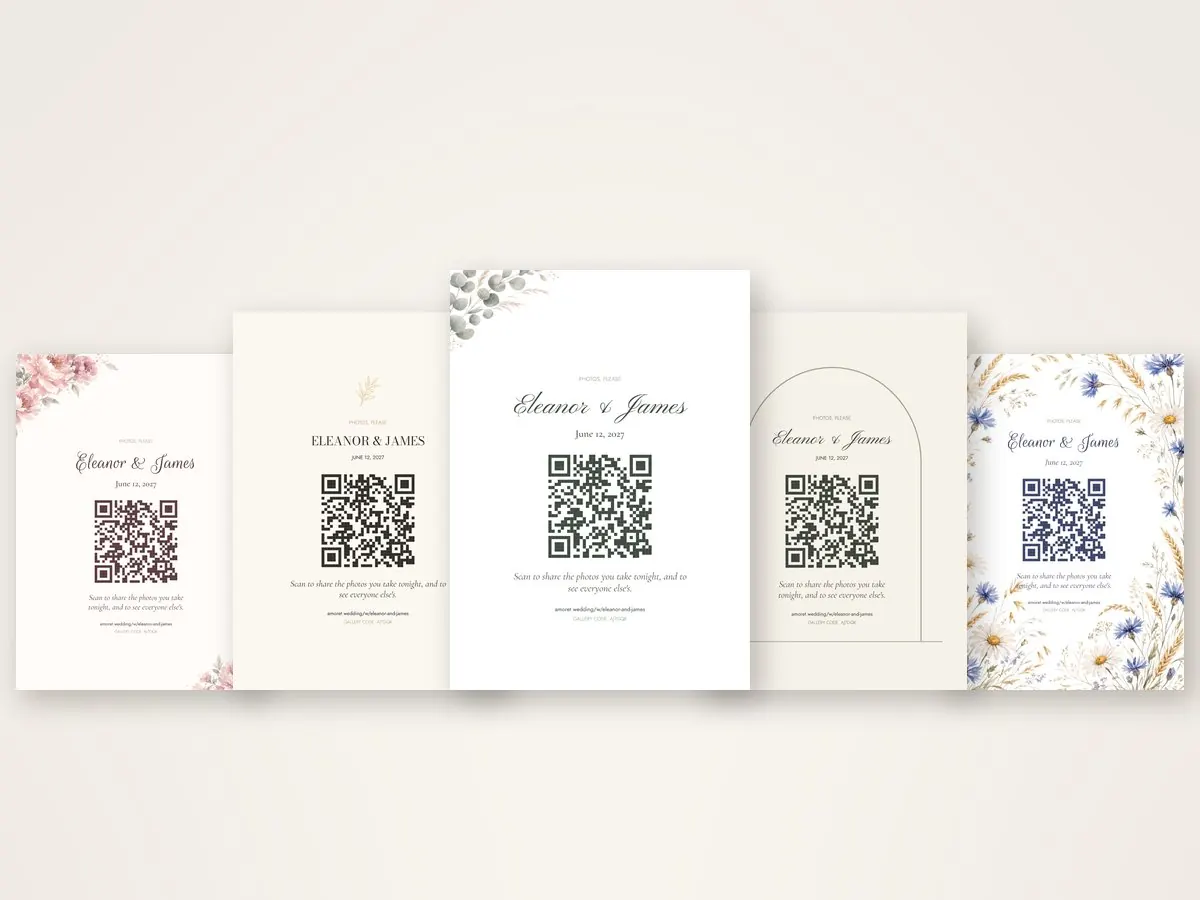
Put one code on your tables and every photo your guests take ends up in one gallery: yours. They point a phone’s camera at it, the gallery opens in the browser, and they post. No app to download, no account to make.
Your code and a PDF of signs to print at home are free on every plan.
How it works
How a wedding QR code for photos works
One link, one code, one gallery, from the save the date to the thank-you card.
-
Your link and your code
Make your Amoret and it comes with its own address, like amoret.wedding/w/eleanor-and-james, and a QR code for it. Both work the moment they are made, and neither ever changes.
-
On everything you print
The same code goes on the save the dates, the invitations, a sign at the door, a card on every table, the coasters and the thank-you cards. Print signs at home for free, or order them made in your wedding’s design.
-
Guests scan and share
Guests open their camera, point it at the code and tap. The gallery opens in the browser with nothing to install, and they post up to ten photos at a time, with a caption if they like.
Why a code
Better than a shared album, a hashtag or a box of cameras
Every barrier you put between a guest and a camera costs you photographs.
A shared album
Asks every guest for the right app, an account and the same kind of phone as yours before they can add a single photo.
A hashtag
Scatters the photos across feeds, shrunk for the screen, and misses everyone whose account is private.
Disposable cameras
A cost on every table, film that comes back half shot, and weeks before you see a few dozen pictures nobody could check.
One code on the table
Works on any phone with a camera, keeps every photo at the size it was taken, puts them all in one place, and is still there the morning after, when people look back through their phones.
Placement
Where to put your wedding QR code
In the order guests meet it. The more places it is, the less anybody has to be told.
- On the save the date
Guests meet the code months ahead, at your wedding page, so it is already familiar on the night. Save the dates.
- On the invitation
The code on the reply side is how they RSVP, so many guests have scanned it before the wedding. Invitations.
- At the entrance
A welcome sign with a code 4.5 inches across or more, which scans from a few feet back while coats are still coming off. Welcome signs.
- On every table
A table card, the same on both faces, with a 1.75-inch code that scans from across the table. The single most effective thing you can put on a table if you want photos back. Table cards.
- At the bar
A coaster under every glass, at the exact moment somebody has a free hand and a phone. Coasters.
- At every seat
Place cards with each guest’s name on the front and the code on the back. Place cards.
- On the big screen
The live slideshow keeps the code on screen all evening, beside the photos it has brought in. The slideshow.
- On the thank-you card
Afterward, the same code opens the finished gallery, so the last thing you send is how everyone sees the whole day. Thank-you cards.
Getting more photos back
Five small things that make a difference
- Say what it does
Every code we print says what to do with it: scan to share the photos you take tonight, and to see everyone else’s.
- Print the address too
The short address under the code is for anyone who would rather type it, and for the photograph of the sign somebody sends to a friend.
- Make it big enough
1.75 inches on a table, 4.5 inches or more by the door. Dark on light, with room around it.
- Mention it in a toast
One line from the best man, and the room reaches for its phones.
- Put it on the screen
A live slideshow of what is arriving is the best advertisement for the code there is.
Privacy
Open, or private, as you like
Galleries start open to anyone with the link, the way most couples want them. Each of these is a switch.
A key in every printed code
A private gallery has its own code, carried inside every QR code we print, so a guest who scans walks straight in and somebody who only knows your names does not.
Guests let in one by one
Turn it on and each new guest asks to come in, and you answer from your dashboard.
Photos approved first
Every photo can wait for you before anyone else sees it, and anything can be taken down at any time.
Revealed in the morning
Each guest sees only their own photos until eight the next morning, or a time you choose, and then everyone sees everything.
FAQ
Wedding QR code questions
How do I make a QR code for our wedding photos?
Make your Amoret with your names and your date. Your code is made with it, unique to your wedding, and works at once. Download it on a free PDF of signs to print at home, or order table cards, a welcome sign and the rest with it printed in your wedding’s design.
Do guests need an app to upload photos?
No. The code opens your gallery in the phone’s own browser. Nothing to install, no account, no password. Guests can type a first name or post without one, unless you ask everyone for a name.
Does it work on iPhone and Android?
Yes. Any recent iPhone or Android phone reads a QR code from its own camera, and the gallery runs in the browser that phone already has.
What if a guest cannot scan the code?
Every code we print has your short address under it, like amoret.wedding/w/your-names, to type into any browser, with a private gallery’s code beside it.
How many photos can guests share?
As many as they like, up to ten at a time. The free plan holds up to 200 photos; Classic has no limit.
Can guests share videos too?
On Classic, yes: a guest can leave a short video message, up to fifteen seconds, which goes into the gallery beside the photographs.
Is the QR code free?
Yes. Your link, your code and the PDF of signs to print at home are free on every plan.
Can we use the same QR code for everything?
That is the point of it. One code for the whole wedding: what it opens changes with the date, from your wedding page before the day to the gallery on it and the finished gallery afterward.
One QR code. Every photo your guests took.
Make your Amoret and its code in about five minutes. It costs nothing until you decide it is worth something.